
How Do You Stage a House for Sale?
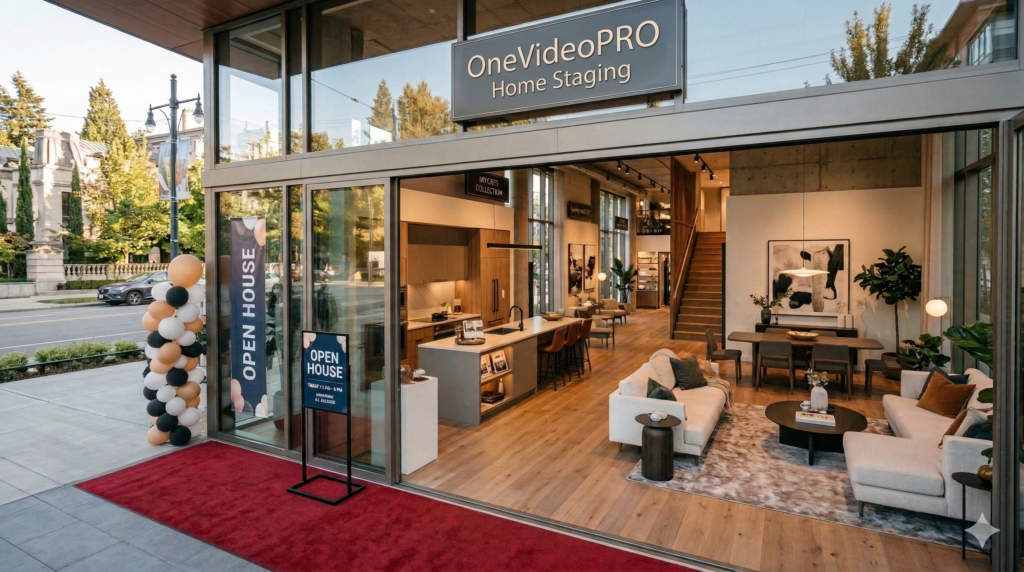
Learn how to stage a house for sale with practical tips, virtual staging, listing videos, and buyer-focused descriptions that make listings stand out.
How Do You Stage a House for Sale? From Empty Rooms to Buyer-Ready Listings
Imagine this.
Sarah is a real estate agent with a new listing: a beautiful three-bedroom home in a desirable neighbourhood. The property has great natural light, a renovated kitchen and a spacious primary bedroom.
But there is one problem.
The previous owners have already moved out.
The house is completely empty.
Sarah takes listing photos, uploads them to the MLS and waits. The rooms look clean, but the living room feels cold. The bedrooms look smaller than they actually are. Buyers scrolling through dozens of listings have little visual information to help them imagine how the home could look when furnished.
Sarah knows the house has potential. The challenge is showing that potential before a buyer walks through the door.
This is exactly why home staging matters.
Quick Answer: How do you stage a house for sale?
Start by decluttering, deep cleaning, repairing visible problems, improving lighting and curb appeal, and arranging furniture and décor to make each room feel inviting. For vacant or dated properties, virtual staging can create a buyer-friendly visual presentation without physically furnishing the home.
According to the National Association of REALTORS®, 83% of buyers’ agents said staging helps buyers visualize a property as their future home.
And in today’s market, that visualization often begins online—not during the showing.
Why Home Staging Matters Before a Buyer Visits
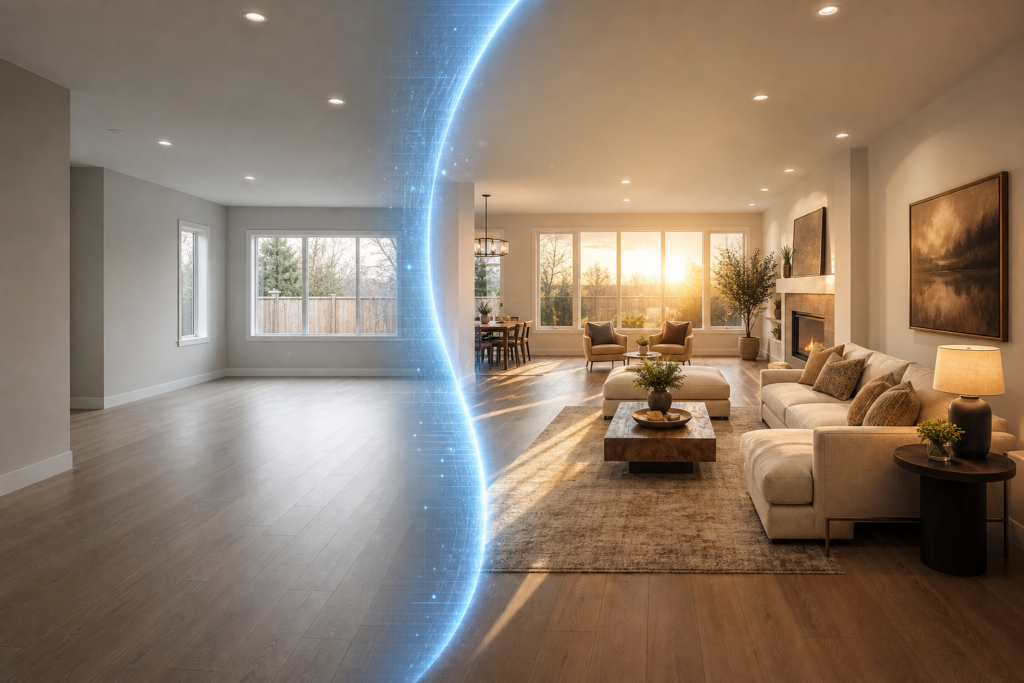
Traditional thinking says staging is about preparing a house for an open house.
Today, that’s only part of the equation.
A potential buyer may first encounter a property through an MLS search, Google result, social media post, email or listing website. Before booking a showing, they may already have formed an opinion based on the photographs.
That makes real estate home staging a marketing exercise as much as an interior-design exercise.
The objective isn’t to make the home look luxurious for its own sake. The objective is to make the property’s strengths easier to see.
Professional guidance commonly recommends removing clutter and personal items, improving lighting, using neutral styling and making rooms easier for buyers to visualize as their own.
The basic home-staging formula
| Staging Element | What It Does |
|---|---|
| Decluttering | Makes rooms feel larger and cleaner |
| Depersonalizing | Helps buyers imagine themselves living there |
| Deep cleaning | Creates a well-maintained impression |
| Furniture placement | Shows the purpose and scale of each room |
| Neutral décor | Appeals to a broader buyer audience |
| Lighting | Makes spaces feel brighter and more welcoming |
| Curb appeal | Creates a stronger first impression |
| Professional photography | Presents the property effectively online |
| Virtual staging | Shows possibilities in empty or dated rooms |
| Listing video | Turns static images into a more engaging presentation |
The key is consistency. A beautifully staged living room doesn’t help much if the rest of the listing feels neglected.
Step 1: Declutter and Depersonalize
The first step in how to stage a house for sale is surprisingly simple: remove things.
That means excess furniture, countertop appliances, collections, personal photographs, unnecessary decorations and anything that makes rooms feel crowded.
The goal isn’t to make the home look empty. It’s to make the available space easier to understand.
For example:
Before:
A living room contains two oversized sofas, several tables, children’s toys and decorative objects.
After:
One appropriately sized sofa, a simple coffee table, a few neutral accessories and clear walking paths.
The second version gives buyers a much better sense of the room’s size and layout.
The National Association of REALTORS® specifically recommends removing bulky furniture and personal items when staging.
Key Takeaway: The best staging doesn’t necessarily add more. Often, it removes distractions so buyers can see the property itself.
Step 2: Make Every Room Have a Purpose
One common challenge with vacant or oddly configured properties is that buyers don’t always know what to do with a room.
Is that small room an office?
A guest bedroom?
A reading room?
A children’s playroom?
When a room is empty, the buyer has to mentally solve the problem themselves.
That is where virtual staging for real estate can become particularly useful.
A vacant room can be digitally furnished with an appropriate design theme, helping communicate its potential without physically transporting furniture into the property.
This doesn’t mean changing the actual property. Instead, the purpose is to illustrate how the existing space could function.
For example:
- An empty bedroom can be presented as a comfortable primary bedroom.
- A spare room can be shown as a home office.
- An awkward corner can be visually organized as a reading area.
- An empty dining area can be presented with appropriately scaled furniture.
The important principle is transparency: virtually staged images should accurately represent the underlying property and be presented appropriately. The NAR consumer guide notes that material photo enhancements should be disclosed.
Step 3: Focus on the Rooms Buyers Care About Most
If the budget or timeline is limited, don’t try to transform every corner of the house equally.
Prioritize the spaces that communicate the property’s lifestyle.
The living room
The living room should feel comfortable and spacious.
Use furniture that fits the room rather than overwhelming it. Create a natural conversation area and keep pathways clear.
The kitchen
Keep counters relatively clear. Highlight useful features such as an island, upgraded cabinetry, appliances or natural light.
The primary bedroom
A simple bed, neutral bedding and limited décor can make an empty bedroom feel considerably more inviting.
The bathroom
Cleanliness is critical. Fresh towels, uncluttered counters and good lighting can make the space feel more polished.
The exterior
Don’t forget the front entrance.
A clean walkway, maintained landscaping, a tidy entrance and a welcoming front door can establish a positive impression before the buyer enters.
Use Case 1: Staging an Empty House
Let’s return to Sarah’s listing.
Instead of showing buyers six completely empty rooms, she uses virtual staging to demonstrate what those spaces could become.
The living room receives a contemporary furniture layout.
The primary bedroom receives neutral bedroom furniture.
The dining area is furnished appropriately.
The home still exists exactly as it does physically—but now the listing communicates its potential.
This is particularly useful when a property has already been vacated.
Instead of paying to move physical furniture into the property, a real estate agent can use virtual staging for real estate to create presentation-ready images.
OneVideoPro’s Real Estate Listing Power Pack is designed around this exact workflow: agents send listing photos and property details, select a design theme, and the service produces AI-staged images that are then reviewed by a human editor.
Use Case 2: Updating a Dated Listing
Now imagine a different property.
The house is occupied, but the furniture is dated. The owner doesn’t want to spend thousands of dollars replacing everything just for the sale.
The agent has two choices.
They can physically stage the entire property—or use selected virtual staging to demonstrate a more contemporary presentation.
This can be especially helpful for rooms where the existing furniture distracts from the property’s actual architecture.
The key is strategic use.
You don’t need to digitally redesign every room simply because you can. Use staging where it solves a genuine marketing problem.
Use Case 3: Turning Staged Photos Into a Listing Video
There’s another problem Sarah notices.
Even after improving the photographs, she needs to attract attention on social media.
A static image may communicate a room.
A video can communicate a story.
Instead of presenting:
Living room → bedroom → kitchen → bathroom
the listing can become:
“Welcome home.” → exterior → living space → kitchen → primary bedroom → neighbourhood → call to action.
OneVideoPro’s Real Estate Listing Power Pack combines AI virtual staging with a listing video and enhanced buyer-focused listing copy. The listing video can use the staged photos, property information and AI narration, and is designed for channels including MLS, Instagram, Facebook, YouTube and email.
That creates something closer to a digital open house.
The Three-Part Listing Advantage
A strong property presentation isn’t just about photographs.
It combines three important elements:
1. Visuals
AI virtual staging helps buyers understand what an empty or dated room could look like.
2. Video
A real estate listing video connects those individual images into a more engaging presentation.
3. Words
A buyer-focused property description explains why the home matters—not simply what rooms it contains.
OneVideoPro combines all three within its Real Estate Listing Power Pack. The service currently offers 15 AI-staged photos across six design themes, a listing video of up to one minute with AI narration, an enhanced listing write-up and one revision round in the Power Pack.
Traditional Staging vs. Virtual Staging
So, should you physically stage every property?
Not necessarily.
The right approach depends on the property, seller, budget and marketing strategy.
| Approach | Best For | Main Advantage |
| DIY staging | Occupied homes | Low cost |
| Professional physical staging | High-value or vacant properties | Real-life presentation |
| Virtual staging | Empty or dated rooms | Fast visual transformation |
| Photography only | Already well-presented homes | Simple and inexpensive |
| Staging + video + copy | Competitive listings | Complete digital presentation |
Traditional staging remains valuable because buyers can physically experience the furniture, proportions and atmosphere during a showing.
Virtual staging has a different advantage: speed and flexibility.
An agent doesn’t need to arrange furniture delivery, coordinate a staging crew or keep rented furniture inside the property.
With OneVideoPro, the process is designed to be simple: send the listing photos and property details, choose a design theme and narration voice, and the production team handles the staging, video and copy. Deliverables are stated as arriving within 24–48 hours.
What Makes a Good Staged Listing?
The best home staging for sale isn’t about making a property look unrealistically perfect.
It’s about removing friction from the buyer’s imagination.
Ask these questions:
- Can buyers immediately understand each room?
- Does the furniture fit the scale of the space?
- Is the home clean and visually uncluttered?
- Are the property’s strongest features obvious?
- Can buyers imagine living there?
- Do the listing photos tell a consistent story?
- Does the listing stand out when compared with competing properties?
If the answer to these questions is yes, the staging is doing its job.
Direct Answer: The best way to stage a house for sale is to create a clean, neutral and inviting presentation that highlights the property’s strengths and helps buyers visualize themselves living there. For vacant or dated properties, virtual staging can complement traditional preparation by showing realistic furnishing possibilities.
From “For Sale” to “Buyer Ready”
Selling a house isn’t simply about putting it on the market.
It’s about presenting the property in a way that makes its value obvious.
For real estate agents, that means thinking beyond the traditional staging appointment.
A modern listing may need:
Staged photographs + compelling copy + short-form video + social media presentation.
That’s why an all-in-one solution can be particularly useful when an agent needs to move quickly.
The OneVideoPro Real Estate Listing Power Pack is built to turn ordinary listing photos into a more complete marketing package: AI virtual staging, a narrated listing video and enhanced buyer-focused copy, with human review before delivery.
Instead of spending hours learning multiple AI tools, writing prompts, editing images and assembling videos, an agent can submit the basics and receive the finished assets.
Final Takeaway: Staging a house for sale is about more than furniture. It’s about helping buyers understand the space, imagine their future in it and notice its strongest features before they ever schedule a showing.
For agents who want to turn a vacant, dated or ordinary listing into a more compelling digital presentation, the OneVideoPro Real Estate Listing Power Pack offers a practical way to bring staging, video and listing copy together.
