
How to sell a property faster with Virtual Staging and AI Video with OneVideoPro Real Estate Listing Power Pack
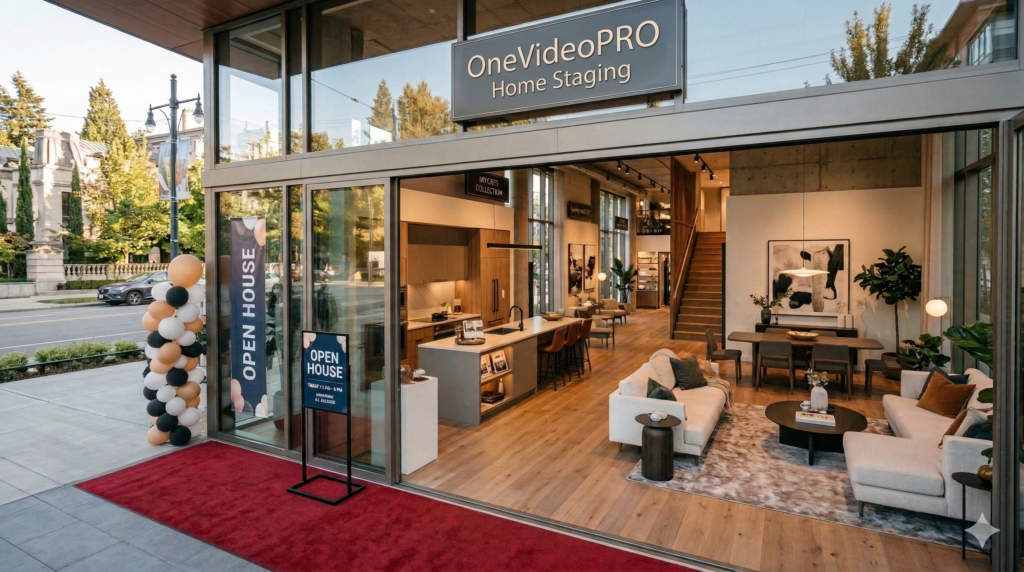
How to Boost Property Sales with OneVideoPRO AI Real Estate Listing Marketing
Every real estate agent knows the challenge: you secure a great home listing, but the rooms are empty, dark, or filled with dated decor. Raw photos fail to capture buyer imagination, and flat MLS descriptions rarely build an emotional connection.
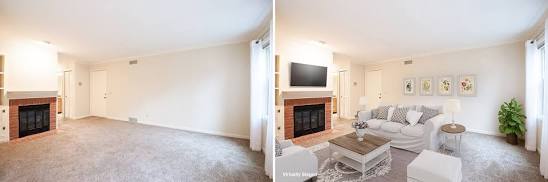
Traditionally, solving this required spending thousands on physical home staging, hiring videographers, and losing hours drafting marketing copy. While DIY generative tools have emerged, they often generate warped furniture, bizarre artifacts, and unpolished results that require painstaking manual editing.
Modern top producers are leveraging human-refined AI real estate listing marketing solutions like the OneVideoPro Real Estate Listing Power Pack. By delegating visual staging, video production, and property copywriting to a streamlined, human-reviewed pipeline, you can turn raw photos into a buyer magnet within 24–48 hours—without touching an editing timeline or prompt box.
Here is a step-by-step guide to transforming raw photos into a full media suite that sells homes faster.
Step 1: Gather and Upload Your Core Property Details
The foundation of high-converting AI real estate listing marketing at Onevideopro.com starts with your baseline assets. You do not need professional studio gear or expensive rendering software; high-resolution photos taken on a camera or recent smartphone will suffice.
What You Need to Prepare:
- Property Photos: Capture clear photos of all main spaces—living room, kitchen, primary bedroom, patio, and exterior facade.
- Property Essentials: Note the key specs (bedrooms, bathrooms, square footage, architectural highlights, upgraded appliances).
- Local Neighborhood Context: Gather neighborhood selling points, such as nearby parks, school districts, transit access, or dining hotspots.
Instead of typing complex text prompts into unreliable DIY generators, you upload these raw assets directly into a done-for-you service like OneVideoPro. You send the basics once, eliminating the guesswork from the process.
Step 2: Select Your Design Aesthetic and Video Narration Tone
To stand out across MLS platforms and social channels, your visual and audio branding must match the home’s vibe and target demographic.
Choosing the Right Style for Your Target Buyer
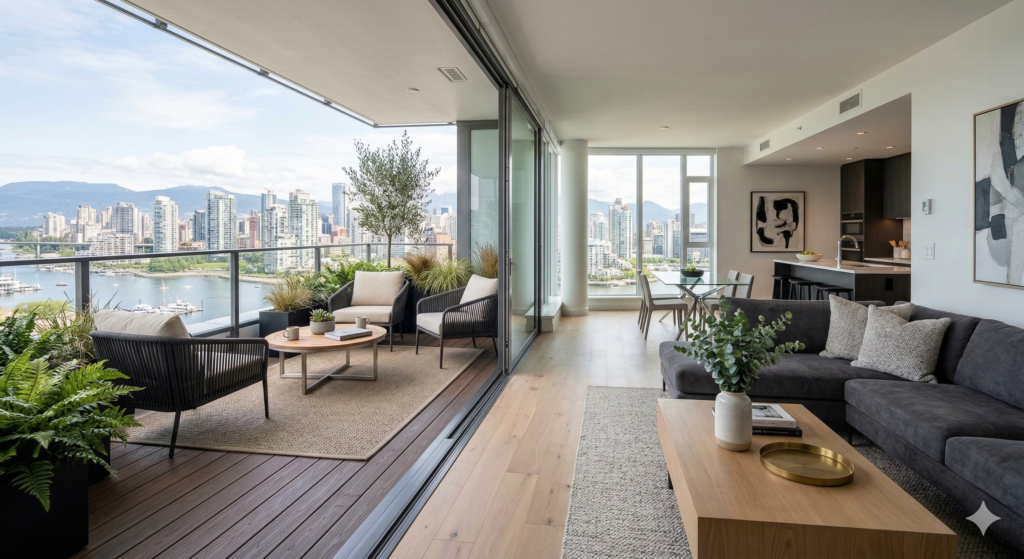
- Design Themes for Staging: Match the architectural style with curated interior options such as Scandinavian, Minimalist, Industrial, Contemporary, Maximalist, or Japanese Zen. Onevideopro Real Estate Listing Power Pack for AI virtual staging for real estate populates empty or outdated spaces with realistic furniture, lighting, and architectural finish details.
- Narration Options: Select an AI male or female narration voice that fits the property profile—warm and conversational for family homes, or sleek and authoritative for modern urban condos.
Selecting your aesthetic up front ensures that your photo gallery, video tour, and written copy share a cohesive marketing narrative.
Step 3: Transform Staged Visuals into a Scroll-Stopping Video Tour
Video content is one of the highest-performing mediums in real estate. Listings featuring video tours generate up to 403% more inquiries than those without. However, filming, editing, and voicing a custom video walkthrough can take days and cost hundreds of dollars per listing.
How Onevideopro.com Done-For-You Pipeline Works:
- Dynamic Animation: Your newly staged photos are converted into smooth, high-definition video transitions.
- AI Voiceover Integration: Your selected narration voice reads a custom property script tailored to highlighting key selling points.
- Multi-Platform Formatting: The video is delivered ready for MLS platforms, Instagram Reels, YouTube Shorts, Facebook ads, and email blasts.
Using a done-for-you MLS media package ensures your video meets local MLS compliance standards while staying engaging enough for social media feeds.
Step 4: Generate a Buyer-Focused Property Description
A common mistake in property listings is focusing strictly on specs (e.g., “3 bed, 2 bath, 1,800 sq ft”) while ignoring the lifestyle experience. High-converting copy focuses on how living in the home feels.
Elements of an Enhanced Listing Description:
- Emotional Hooks: Paint a vivid picture of daily life (e.g., “Morning coffee on your sunlit rear deck” or “Chef-inspired kitchen designed for hosting”).
- Integrated Neighborhood Research: Highlight walkable amenities, top-rated school zones, commute routes, and local dining hubs.
- Human-in-the-Loop Refinement: Unlike raw AI generators that hallucinate details or sound robotic, services like OneVideoPro pass every line through a human editor to ensure accuracy, proper flow, and tone before delivery.
Step 5: Review, Download, and Publish Across Marketing Channels
Once your order is processed through the production pipeline, you will receive a single download link containing your complete marketing bundle within 24 to 48 hours.
Your Final Media Bundle Includes:
- High-Res Staged Photos: Un-watermarked files formatted for MLS and print brochures.
- Polished Listing Video: Up to 60-second video with clear voiceover narration for social media and property sites.
- Professional Copy: MLS-ready descriptions and social media captions ready to copy and paste.
Because human editors review all deliverables before delivery, you bypass hours of re-prompting or fixing warped artifacts—allowing you to launch your listing immediately.
Key Takeaways: Pro-Tips for Real Estate Marketing Success
Pro-Tip 1: Always Disclose Virtual Staging
Maintain transparency on your local MLS by adding a small tag or disclaimer noting that vacant rooms have been virtually staged. Buyers appreciate seeing both the potential space and the true footprint.
Pro-Tip 2: Cross-Promote Across Social Channels
Don’t stop at MLS uploading. Publish your short listing video as an Instagram Reel and TikTok video, linking back to your full property page to capture millennial and Gen-Z homebuyers.
Pro-Tip 3: Skip DIY AI Credit Traps
Paying per-credit subscriptions for standalone image apps often leads to wasted time fixing distorted furniture or odd lighting. Flat, per-listing pricing models with built-in human editing save both budget and turnaround time.
Elevate Your Next Listing with OneVideoPro
Presenting every property like a luxury listing no longer requires an enterprise budget or endless hours in editing software. With the OneVideoPro Real Estate Listing Power Pack, you get human-reviewed AI virtual staging, a custom listing video, and a buyer-focused write-up delivered directly to your inbox within 24–48 hours.
Ready to turn your raw property photos into high-converting MLS media?
